
In certain circumstances, there is no way to see or download your payslip.
While we are working on resolving this issue for everyone, there is a simple workaround that you can apply that will consist on clearing your cache and cookies. Then when you come back and log in again, you will be able to visualize and download your payslip.
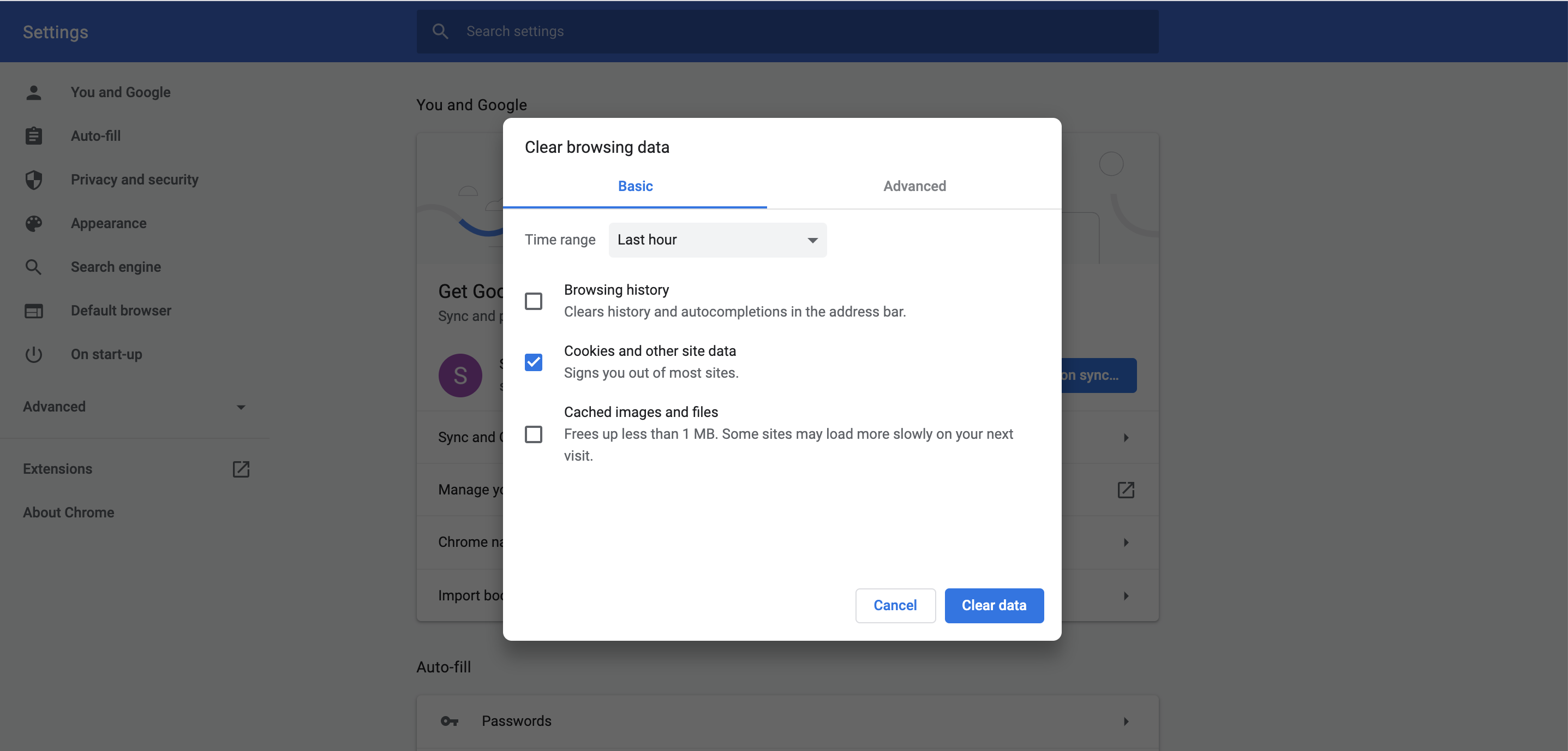
In order to clear your cache and cookies, head to the history of your browser (chrome here in the screenshot) and select "cached images and files" and "cookies and other site data", then click on "Clear data".
Comments
0 comments
Please sign in to leave a comment.